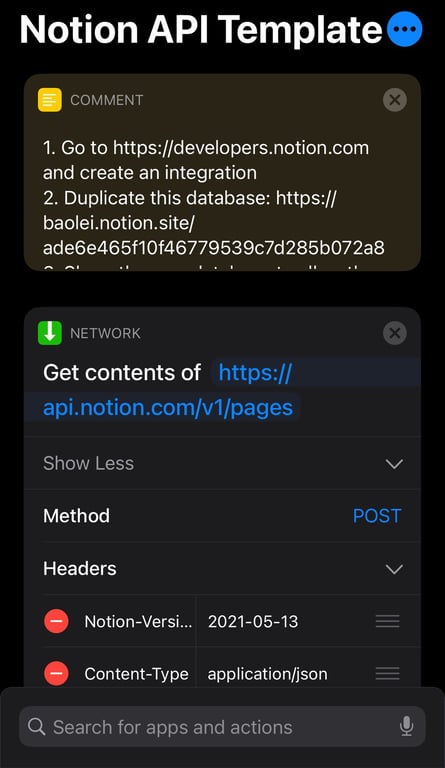
Download the shortcut template:
What does it do:
- Create records in a database, with different properties and page content
- Can be used as a building block in any other shortcuts
No coding skill required
How to use:
- Go to https://developers.notion.com/ and create your integration (private is ok)
- Duplicate this database to your Notion space, share it with the integration you created
- Download the iOS shortcut. You need to first go to iOS Settings > Shortcuts and turn on
Allow Untrusted Shortcutsfirst
- Go to this shortcut, paste in the integration token from step 1 (Secrets > Internal Integration Token) to the Authorization field in header (after Bearer) and the id of the database from step 2 to the parent field in request body
- Run the shortcut, it should create a new record into the database
- Now you can start copying & pasting this step to other shortcuts. To do so, tap the green icon or "Network" header of the step, then "Copy', then go to another shortcut and tap the header of a step in that shortcut, then tap "Paste Above" or "Paste Below". Then you can make modifications to database id, the properties, the values of the properties, etc.
Use cases:
- Sync Apple Health records to Notion. E.g. sleep tracker.
- Create recurring tasks
- Build a workout timer with voice guidance.
 Made with Bullet